Start with the content you have
Add your pre-recorded workout videos, GIFs, and images to a reusable movement library. Arrange the exercises, sets, timers, and rest periods into a program.
Turn your existing workout videos, GIFs, and images into a pre-programmed class. Send it to multiple screens across your studio with one click—so your team can focus on members, not managing slides.
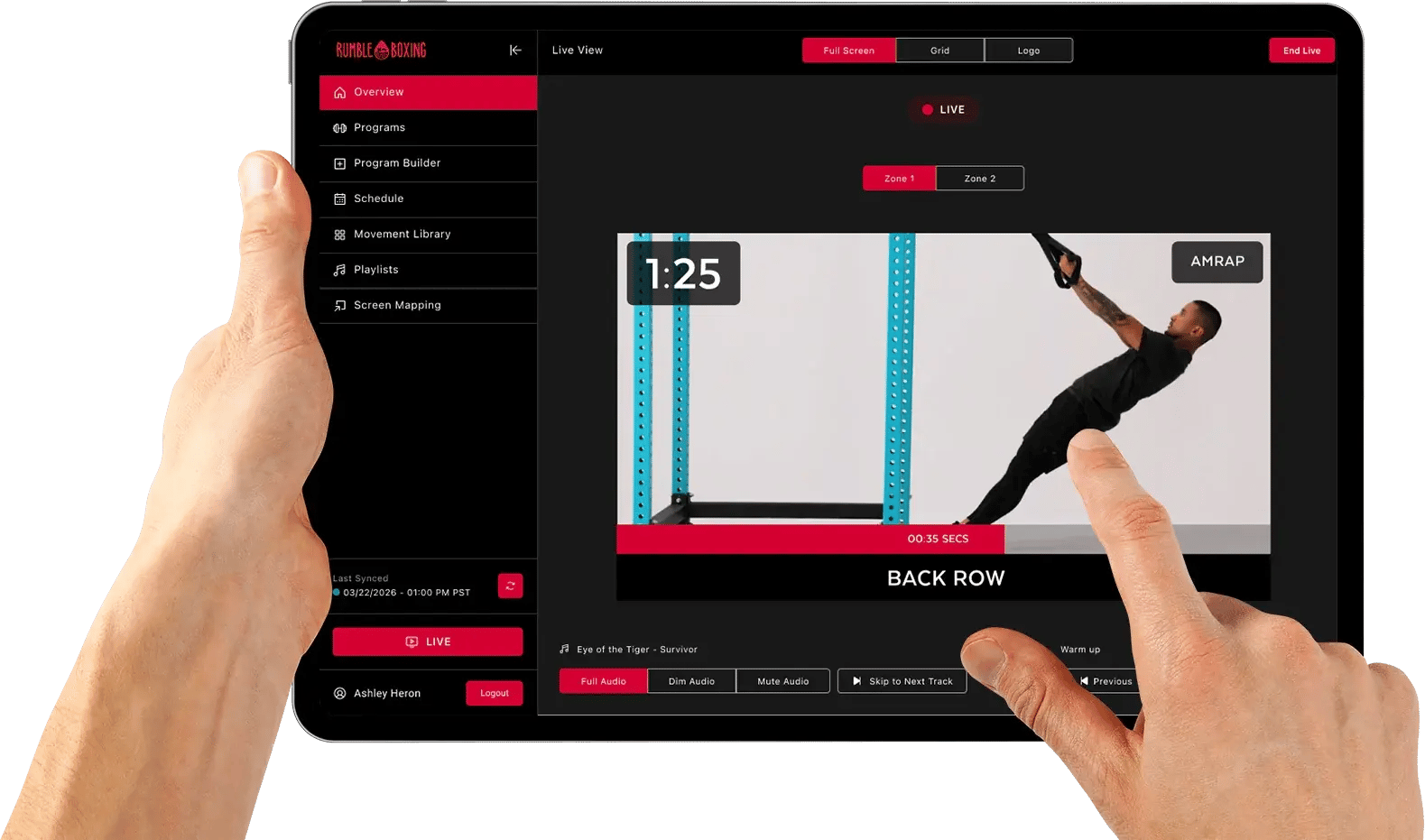
Build the experience before class, then bring it to the room without a deck of slides or a last-minute setup for every screen.
Add your pre-recorded workout videos, GIFs, and images to a reusable movement library. Arrange the exercises, sets, timers, and rest periods into a program.
Assign the prepared workout to a class and map connected displays to your zones. When the room is ready, an authorized team member starts the session with one click.
Movement demonstrations and timing cues run on screen while your team coaches. Keep live controls close when you need to pause, switch blocks, or adjust the session.
The workout is ready before your members arrive. CAST distributes your pre-programmed videos, GIFs, and images to connected screens across the studio, with movement demonstrations and timing cues built into the session.
No more slides. No screen-by-screen setup. Just more time to focus on members.
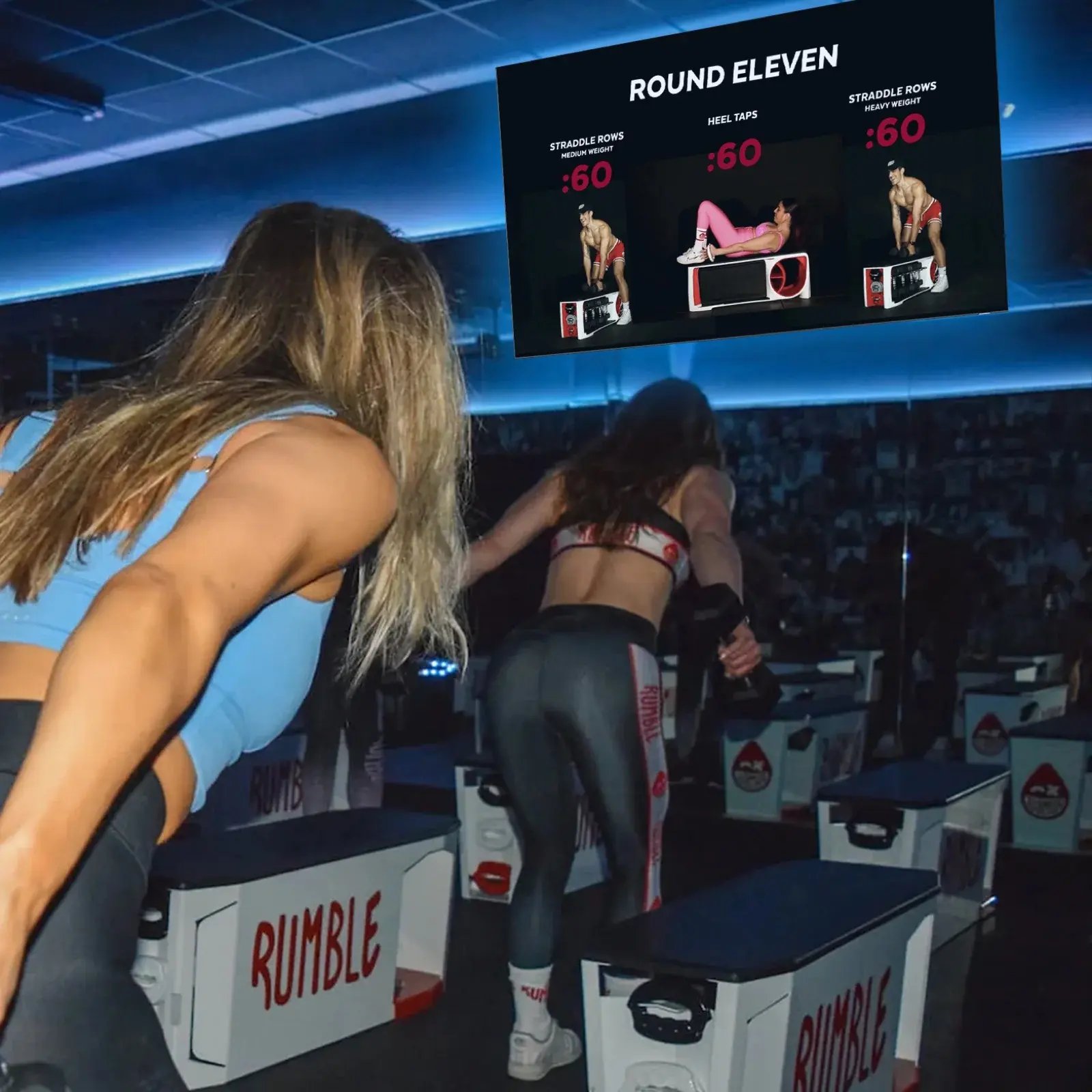
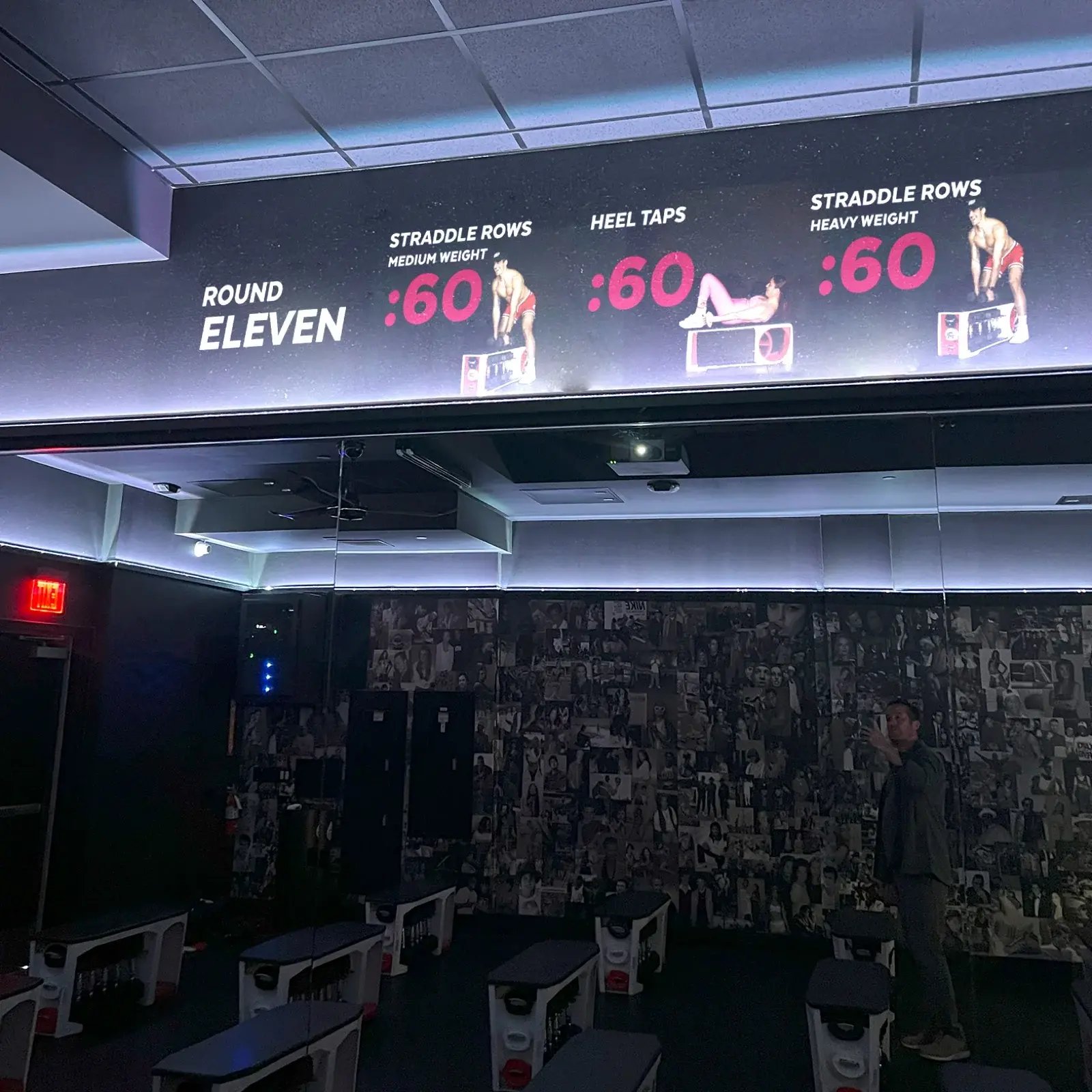
Once the workout is assigned and screens are connected, start the session with one click. Authorized teams can pause or adjust playback as the class unfolds.
See CAST for your studioThis screen recording shows CAST’s Live View, with Zone 1 and Zone 2 controls, movement demonstrations, countdowns, and Full Screen, Grid, and Logo display options. Playback and music controls stay together in the app.
Keep the programming, content, and screen experience connected from the first movement to the final cooldown.
Map connected displays to one or two zones, each with its own movement sequence. Show different exercises across the room and control display modes by zone.
Upload movement videos, GIFs, images, and thumbnails, then organize them with searchable tags for equipment, body focus, difficulty, and more. Reuse them across programs.
Create playlists from uploaded MP3s, assign music to blocks, and cue a specific track when a movement begins. Adjust audio without leaving Live View.
Use Full Screen for a single movement, Grid for previous, current, and next exercises, or Logo for introductions and breaks. Adapt layouts to your screen orientation.
Set movement timers, rep labels, rest countdowns, countdown beeps, and end-of-block cues. Help participants see what to do and when to move on.
Program changes save locally and sync in the background when connected. Check media sync before class so the display apps receive the assets they need.
Start with the experience you want to create. We’ll explore how CAST fits your programming workflow, team, and studio setup.
Tell us about your class format, locations, and screen setup. We’ll walk through CAST and confirm the right scope.
Explore CAST with usOptional. Available separately from Studio Stack’s base plans.
Yes. Use your pre-recorded workout videos, GIFs, and images in reusable programs. Prepare the class in advance, assign the workout, and start it across connected studio screens with one click.
The Workout Builder app controls displays running the companion Cast Client App on the same network. Screen Mapping assigns those displays to one or two zones. We’ll confirm compatible devices and the right setup for your studio.
The Workout Builder runs on iPad, iPhone, Android, Windows, and macOS. A web version supports programming; live screen control uses the app experience.
Instructors have view-only access to schedules and assigned programs and can use preview mode. Admins and studio admins have the permissions to build, publish, schedule, and control live sessions.
Upload MP3 tracks to create playlists, assign them to blocks, and optionally cue specific songs as movements begin. Current music workflows use uploaded files.
CAST is an optional, separately scoped product. We’ll review your programming and studio requirements and confirm pricing with you.
Explore more optional tools for your team and your marketing.
Personal offers. Less manual work.
Explore the tool Facebook leads + HubSpotLocal leads. One connected pipeline.
Explore the tool For ClubReadyYour ClubReady business, on the go.
Explore the tool Member data + HubSpotMember data, ready for HubSpot.
Explore the tool AI chatbot + SMS for first-time customersAI chatbot and SMS to engage first-time customers.
Explore the toolChoose the tools that fit the way your business works.